 Deutsch
 English

 Magento

AI customer service for Magento 2. Order status in the chat, no extension.
Paldra answers your customers’ questions in your website chat and by email, from your store pages and your product feed. It reads the status of an order through a Magento integration, read-only.
More than a chatbot. Your whole support in one system.
Chatbot in your store
Answers questions about products, shipping and orders from your store data, every answer with a source.
Team inbox
Chat, email, WhatsApp and Instagram in one place. Your team takes over a conversation with one click.
Mail agent
Answers your mailbox from the same store data, first as a draft, on its own if you want.
Resolution rate
Shows how many conversations the AI resolved without your team, and where it still needs knowledge.
What Paldra really reads in Magento. And what it can’t do yet.
Paldra reads orders and shipments through an integration, read-only. Products come from your store pages and the product feed. Changing an address, cancelling, refunding and creating returns is not possible yet: the chat passes these to your team with all the details. You’ll find every connection under Integrations.
Where Paldra runs. Paldra is operated at Hetzner in Nuremberg. Which providers are used for what is listed in full under Security, the data processing agreement under DPA.
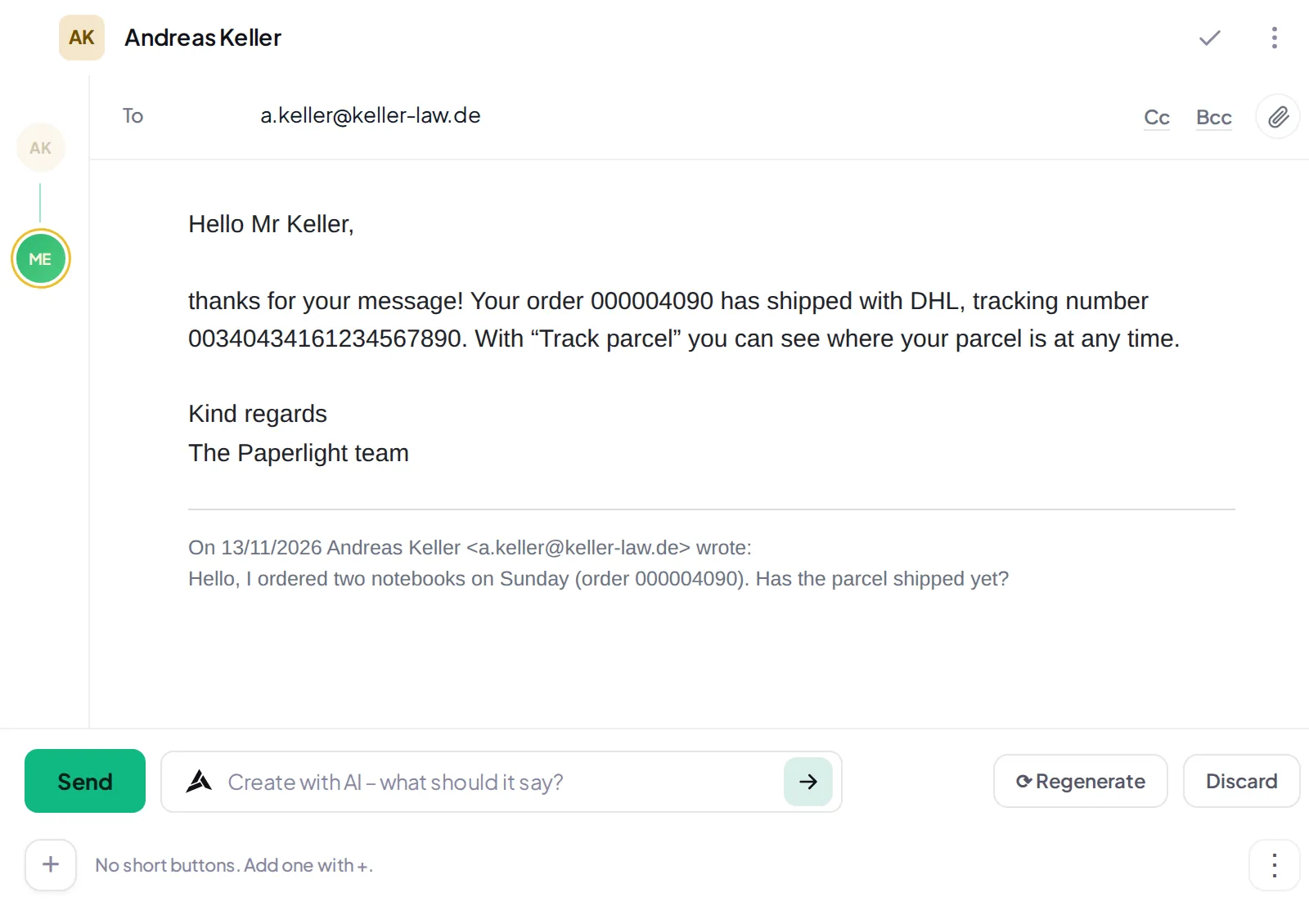
Shipped with DHL, tracking number 00340434161234567890 – Track parcel.
“Where is my order?” With the number from the confirmation.
The chat looks up the order number exactly as it appears in the order confirmation and then checks the order’s email address. For DHL, DPD, GLS, Hermes and UPS it builds the tracking link itself.
If it can’t find a number, it says so instead of guessing.
Set up without an extension. One line of code, one integration.
There is no Paldra module for Magento, and you don’t need one: the chat comes in through one line of code in the page head, the order status through an integration in the Magento admin.
Paldra reads products from your store pages or from a product feed in Google Shopping format. There is no direct catalogue connection to Magento.
SetupCopy the line of code from the Paldra dashboard and paste it under Content, Design, Configuration, HTML Head or Footer, into the field “Scripts and Style Sheets”.
Under System, Extensions, Integrations create and activate an integration with access to orders and shipments. From 2.4.4 allow bearer tokens under Stores, Configuration, Services, OAuth.
Enter your store address and the access token in Paldra under “Magento (orders)”. Paldra checks the access right away with a read request.
By email too. The same read access, the same check.
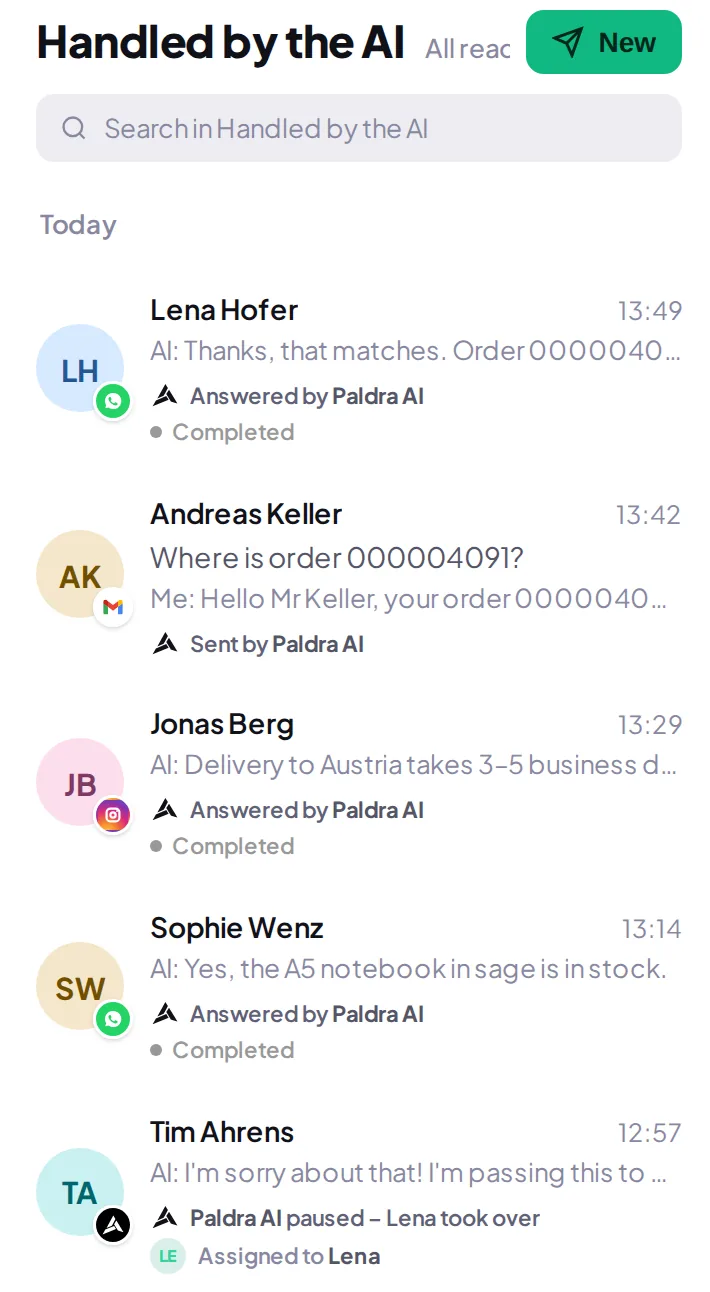
When someone asks about their order in the chat, Paldra AI answers with the data from Magento. By email, Paldra uses the same data if the sender address matches the order. In the inbox you can see for every conversation whether Paldra AI answered it or your team took over.
Emails: on the Basic plan Paldra writes the reply on click, from Business it can send it on its own if you want. Image: real Paldra inbox with sample data.
Is there a Magento extension?
No. You add the chat with one line of code: Content, Design, Configuration, HTML Head or Footer, field “Scripts and Style Sheets”. For the order status you create an integration in Magento.
Which Magento setting do I need for the order status?
An integration with access to orders and shipments. From Magento 2.4.4 you also need to allow access tokens to be used as bearer tokens under Stores, Configuration, Services, OAuth.
What does the chat say to “Where is my order?”
It asks for the order number and, for security, the email address of the order. If it matches, it shares status, carrier and tracking number, with a tracking link for DHL, DPD, GLS, Hermes and UPS.
Does the AI know my catalogue?
Paldra reads your store pages. With a product feed in Google Shopping format, prices and availability are refreshed every night. There is no direct catalogue connection to Magento.
Can the AI change or cancel orders?
No. With Magento, Paldra only reads. The chat takes address changes, cancellations and returns and passes them to your team.
Where does Paldra run?
Paldra is operated at Hetzner in Nuremberg. Which providers are used for what is listed in full at paldra.com/en/security, and the data processing agreement is at paldra.com/en/dpa.
Try it with your Magento store.
14 days free, no payment method needed.
Magento is a trademark of its owner. It is named only to show what Paldra works with.