 Deutsch
 English



AI customer service for WooCommerce. With order status and tracking number.
Your customers ask about products, delivery times and their orders. Paldra answers in your website chat and by email from your WooCommerce store, shares the order status and tracking number, and hands anything a person needs to decide to your team.
More than a chatbot. Your whole support in one system.
Chatbot in your store
Answers questions about products, shipping and orders from your store data, every answer with a source.
Team inbox
Chat, email, WhatsApp and Instagram in one place. Your team takes over a conversation with one click.
Mail agent
Answers your mailbox from the same store data, first as a draft, on its own if you want.
Resolution rate
Shows how many conversations the AI resolved without your team, and where it still needs knowledge.
What Paldra really reads in WooCommerce. And what it can’t do yet.
Products, order status and tracking numbers come through the plugin, read-only. Changing an address, cancelling, refunding and creating returns is not possible yet: the chat passes these to your team with all the details. You’ll find every connection under Integrations.
Where Paldra runs. Paldra is operated at Hetzner in Nuremberg. Which providers are used for what is listed in full under Security, the data processing agreement under DPA.
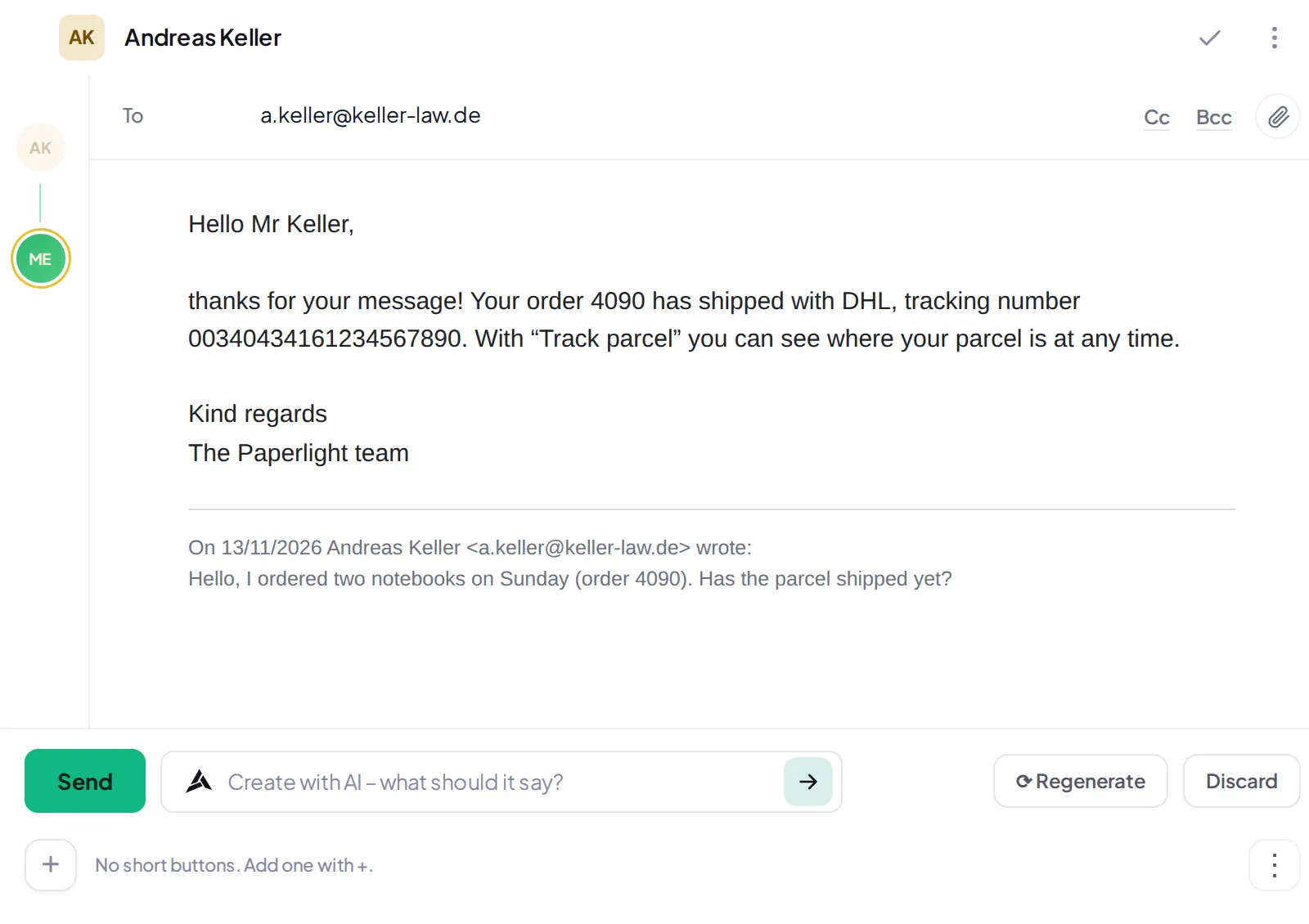
Shipped with DHL, tracking number 00340434161234567890 – Track parcel.
Current status: out for delivery.
“Where is my order?” Answered with real data.
The chat asks for the order number and email address. The plugin checks both directly inside your store, or the mobile number if no email is stored. Only when everything matches does the chat share status, carrier and tracking number with a link. If the order is still waiting for payment, it sends WooCommerce’s “Pay now” link.
If the order is already on its way, the chat says so openly, even for an address change, instead of promising anything. WooCommerce knows tracking numbers with the Shipment Tracking extension or a plugin that uses the same field.
Connected in three steps. No theme changes, no code.
The Paldra plugin from the official WordPress directory handles chat, products and order status in one go. You don’t need a second key for that.
Paldra only reads. The plugin’s key is read-only and is removed when you disconnect or delete the plugin. The plugin checks orders inside your store and only returns something if the email address matches.
SetupIn WordPress admin go to Plugins, Add New, search for “Paldra”, install and activate it, sign in to Paldra and click “Connect” on the approval page. The chat appears on your site, Paldra reads your products and keeps them up to date whenever they change. From version 2.0.0 the plugin also answers questions about order status once you agree.
You add tracking numbers with the WooCommerce Shipment Tracking extension or a plugin that uses the same field. Paldra then shares them with carrier and link.
Optional: connect DHL, UPS, Sendcloud or AfterShip and the chat also shares the current status of the parcel. With “Shipping email copy” the plugin adds the copy to your shipping confirmation itself.
In your inbox too. With the same view into WooCommerce.
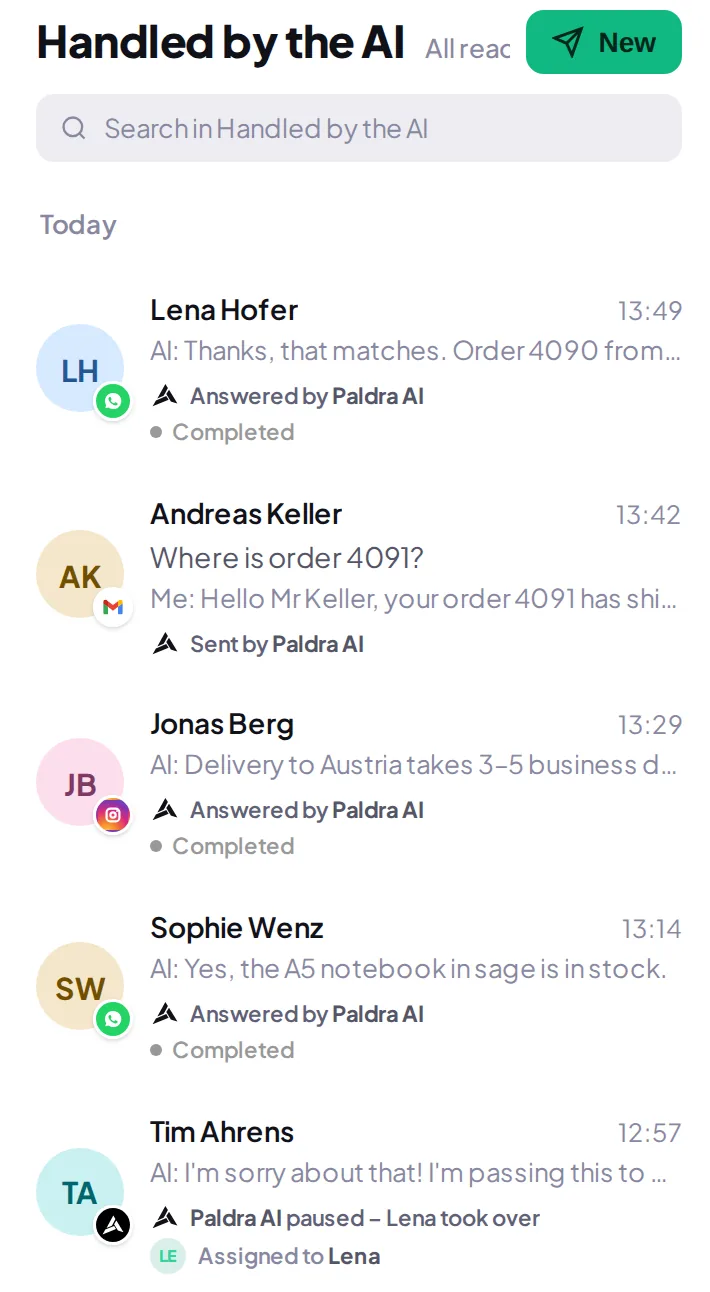
When someone asks about their order in the chat, Paldra AI answers with the data from WooCommerce. By email, Paldra uses the same data if the sender address matches the order. In the inbox you can see for every conversation whether Paldra AI answered it or your team took over.
Emails: on the Basic plan Paldra writes the reply on click, from Business it can send it on its own if you want. Image: real Paldra inbox with sample data.
How do I connect WooCommerce to Paldra?
With the Paldra plugin from the official WordPress directory: in WordPress admin go to Plugins, Add New, search for “Paldra”, install and activate it, click “Connect” and choose your account. The plugin adds the chat, reads your products read-only and, from version 2.0.0 and once you agree, also answers questions about order status. Nothing to upload, no code.
Can the chat tell customers where their order is?
Yes. From plugin version 2.0.0 the order status comes straight through the plugin once you turn it on, no second key needed. The chat asks for the order number and email address, and the plugin checks both inside your store. If they match, the chat shares status, carrier and tracking number with a link.
What happens if an order has not been paid yet?
If the order is still waiting for payment, the chat sends WooCommerce’s “Pay now” link after the check. If the order is on hold (for example bank transfer), it says that the payment has not arrived yet, without a link.
Where does the tracking number come from?
WooCommerce itself does not store tracking numbers. Paldra reads them from the WooCommerce Shipment Tracking extension or a plugin that uses the same field. Alternatively: a copy of the shipping email or Sendcloud.
Can the AI change or cancel orders or create returns?
No. With WooCommerce, Paldra only reads. The chat takes address changes, cancellations and returns and passes them to your team with all the details.
Does the plugin change my theme?
No. The plugin adds the chat itself, without theme changes and without code. When you disconnect or delete it, it removes the key it created.
Where does Paldra run?
Paldra is operated at Hetzner in Nuremberg. Which providers are used for what is listed in full at paldra.com/en/security, and the data processing agreement is at paldra.com/en/dpa.
What does Paldra cost for WooCommerce?
WooCommerce is included in every plan at no extra cost. You can try it free for 14 days, no payment method needed. The plans are listed at paldra.com/en/pricing.
Try it with your WooCommerce store.
14 days free, no payment method needed.
WooCommerce is a trademark of its owner. It is named only to show what Paldra works with.